Overview
To edit an even you will log into the WordPress ‘Dashboard’ for our site and then:
- Go to the event on the website
- Select the Edit Event link at the top of the event
- Edit the information as desired
- Preview the event
- Edit and update the event

To edit an even you will log into the WordPress ‘Dashboard’ for our site and then:
There are two ways to do this:
or,
 Edit the title using the Custom Title Creation area below and to the right of where you added the event.
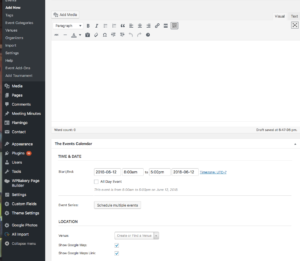 Scroll the page down to area first large text area. Edit the description of the event using text and/or images.
 Scroll the page down to the Excerpt field and edit the text you want to display when someone hovers their mouse over the event on our Event Calendar.
Go back to the upper-right area of the page and select the Preview button. Wordpress is finicky and you may have to select it twice. This will display the page in a new tab as it will look on our website.
After reviewing the event and the text that is displayed when your mouse hovers over the event in the calendar delete the tab to return to the edit page.
Note: If your browser did not create a new tab, use the browser Back button to return to the event dialog.
Make any corrections to the event and, when through. When done select the blue Update button. Again, you may have to select it a twice.
Go to the Event Calendar page and verify that the hover text and event description are what you want. If not, use your browser Back button to return to the event and re-edit and publish it using the blue Update button